Getting Started
Install, activate, and run your first JCMsuite tutorial.
Follow these simple steps for getting from a fresh installation to a first modified tutorial simulation.
Install JCMsuite
Download and run the installer and choose an installation directory that is accessible to the users who will execute simulations.
Some browsers show security warnings for the installer executable. You need to explicitly accept keeping the file.
Download evaluation installer

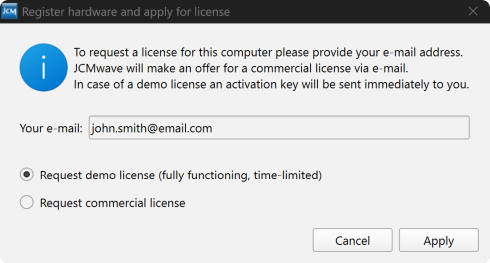
Request your license
At the end of the installation process you can configure your license. To trigger the license activation later on, open JCMcontrol and click Setting -> License Activation in the menu bar.
If activation fails, verify network access to the license server. Otherwise follow the manual license activation steps for an offline computer.
License activation for offline computer.
Open tutorial example
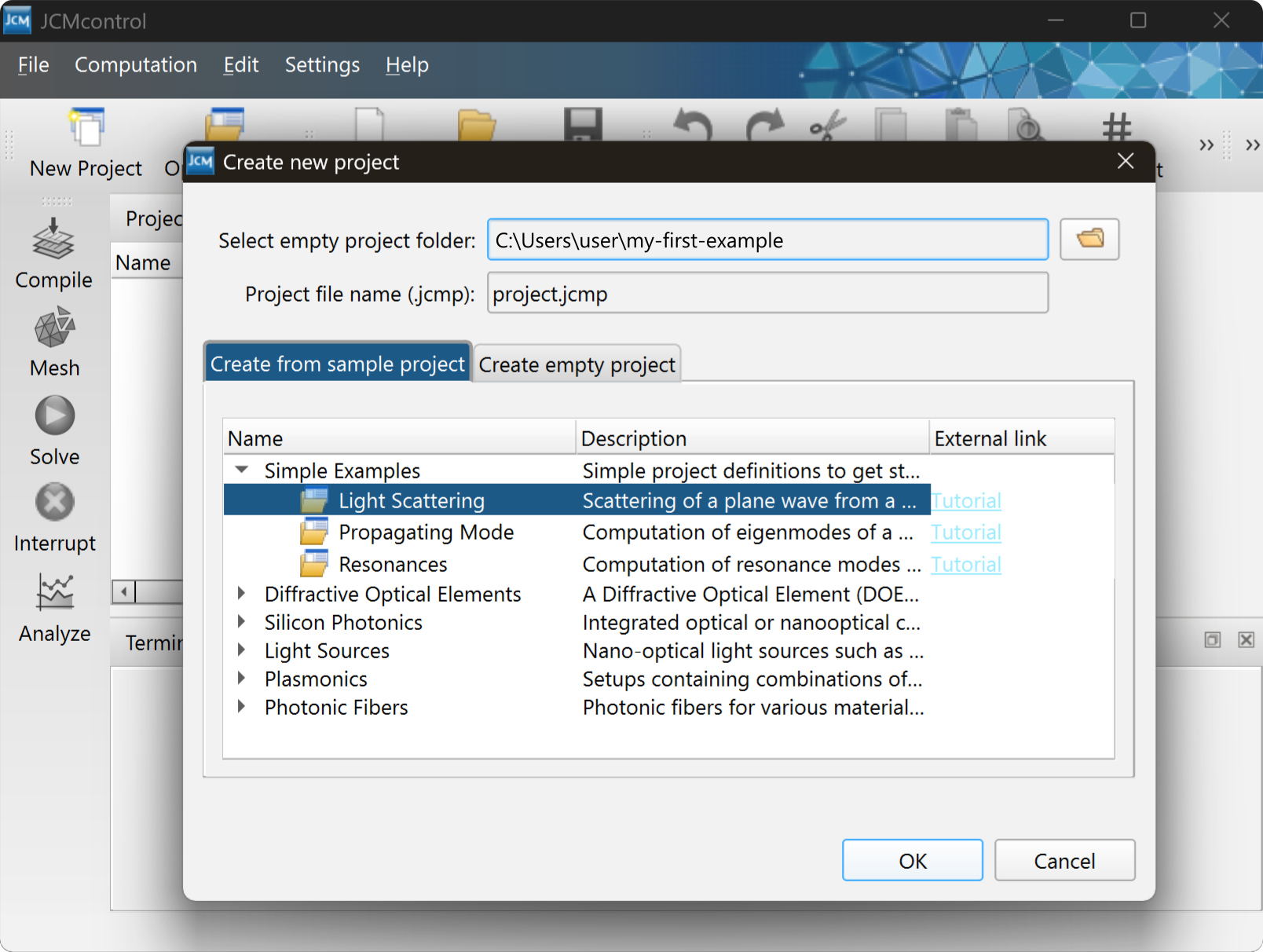
Open JCMcontrol to load your first project.
- Click
New Projectand select an empty writable path where the project files will be generated. - Select
Simple Examples -> Light Scatteringand pressOK. - Double click the project files to open them in the editor.

Inspect the results
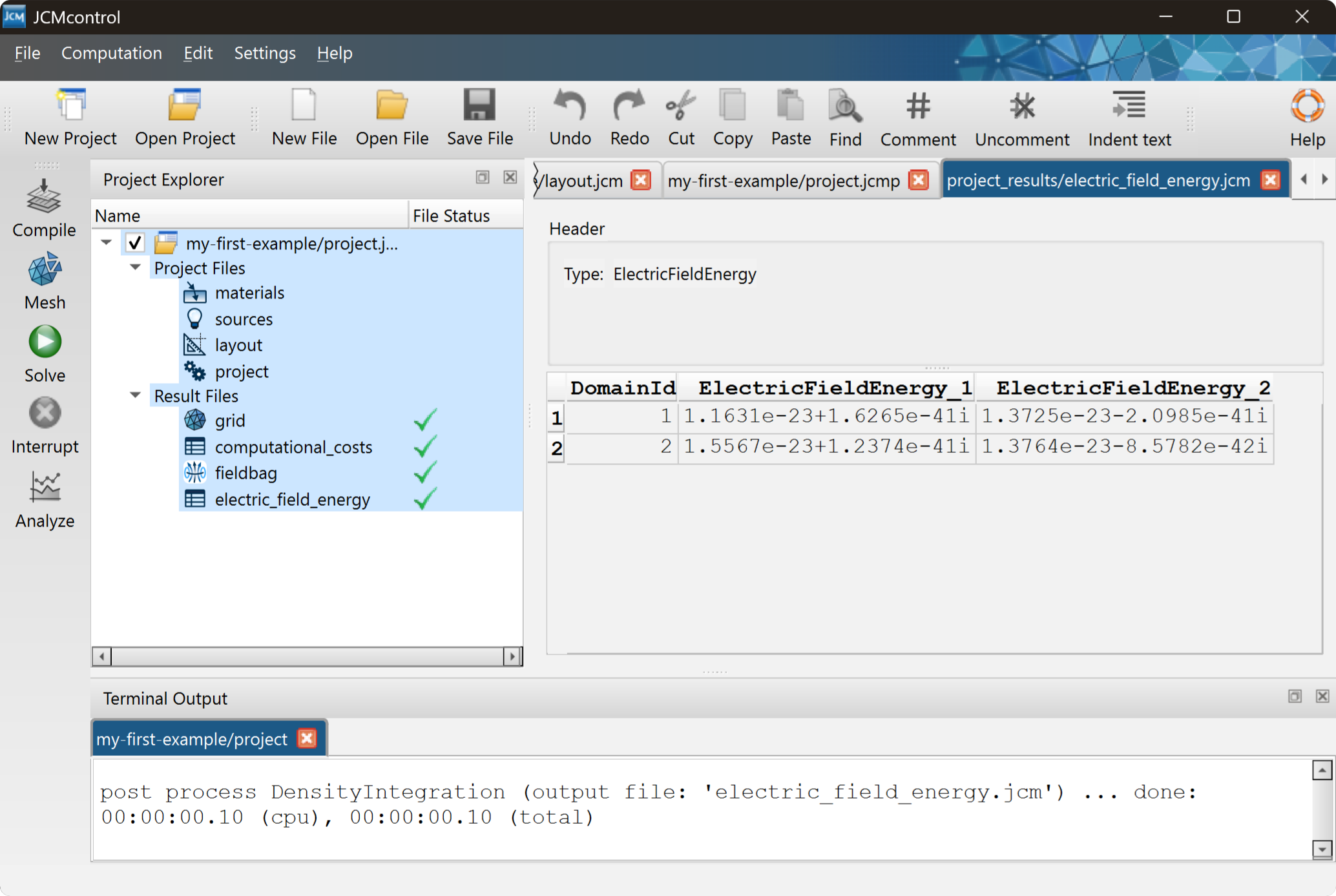
- Press the green
Solvebutton to run the solver. - Double click
electric_field_energyunder the result files to inspect the numerical results. - Double click the
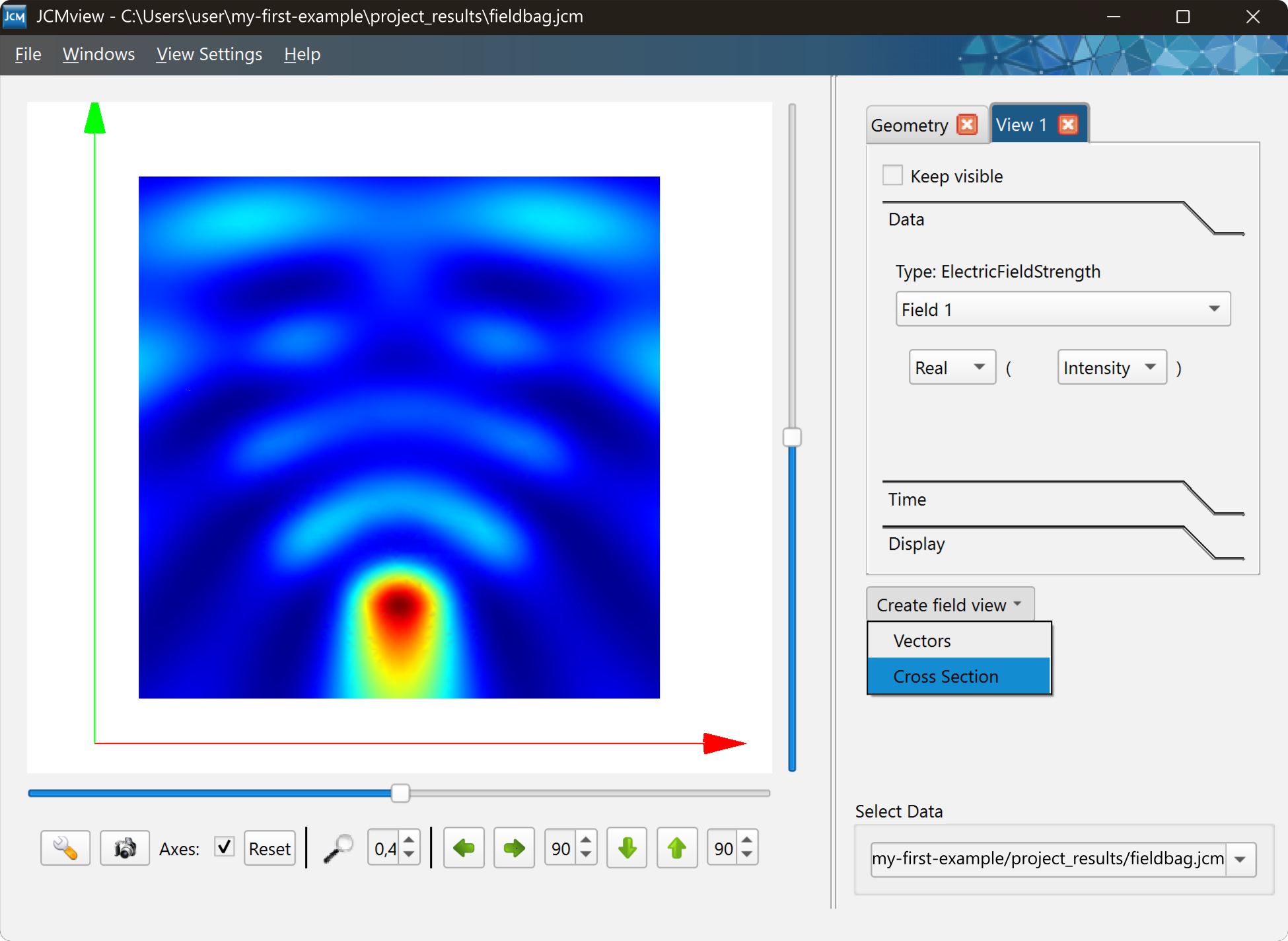
fieldbagunder the result files to openJCMview. - Create a field view by clicking
Create field view -> Cross section.
Tutorial examples
Good tutorials to start from
Choose a tutorial that matches the physical effect or device class you want to model. Also check out how to use Python or Matlab to run and analyze simulations.
Diffractive Optical Elements
Use these examples to learn sources, near fields and far fields.
Tutoral SectionUse Python to control simulations
Start here for learning about embedded scripting, parameter scans and distributed computing.
Python TutorialGeometry definitions
Use this tutorial to understand the definition of 2D and 3D shapes and the control of the meshing process prior the finite-element solution..
Geo TutorialFor more questions
This walkthrough provides you with the first steps to get started. You find detailed syntax, solver options, and API references in the JCMsuite documentation. You can also use our chatbot to search for solutions based on the documentation.